Slotting · put walls
Every scanned unit, into the right bin of the put wall
A put-wall service for your warehouse software. Your back end sends a wave of orders; it plans which bins each order gets, as a compact group of neighbouring bins. At the wall, every scan answers which bin the unit goes in, and the last unit of an order returns the bins to pull for pack-out.
Three users
Your back end, the operators, and whoever sets up the walls
Your WMS plans the wave
It saves the bin setup once, sends each wave's orders with the item dimensions, and releases an order's bins after pack-out.
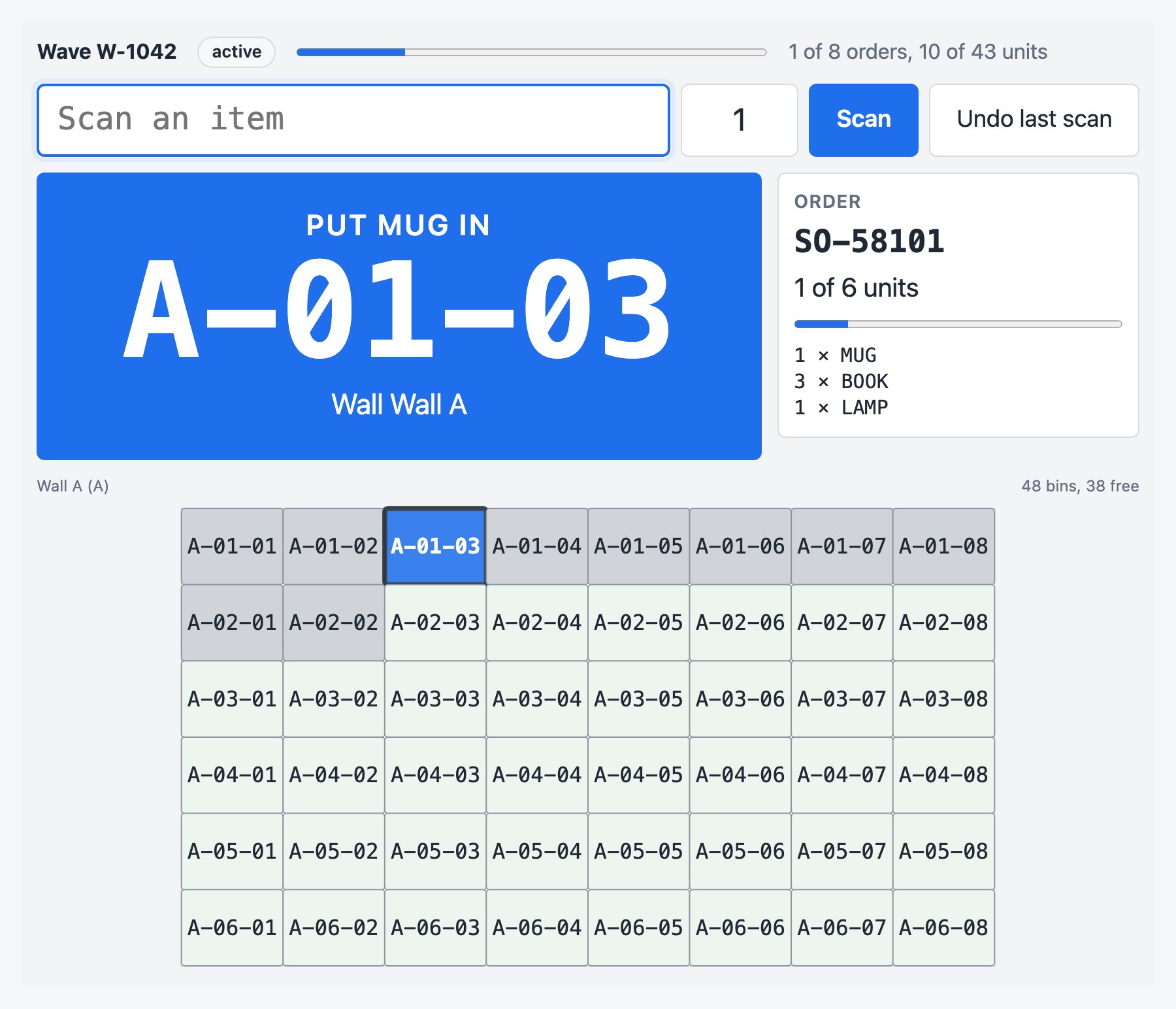
Operators scan at the wall
Your own scan screen calls the scan endpoint, or you embed the station component, which works with keyboard-wedge scanners.
Walls from a drawing
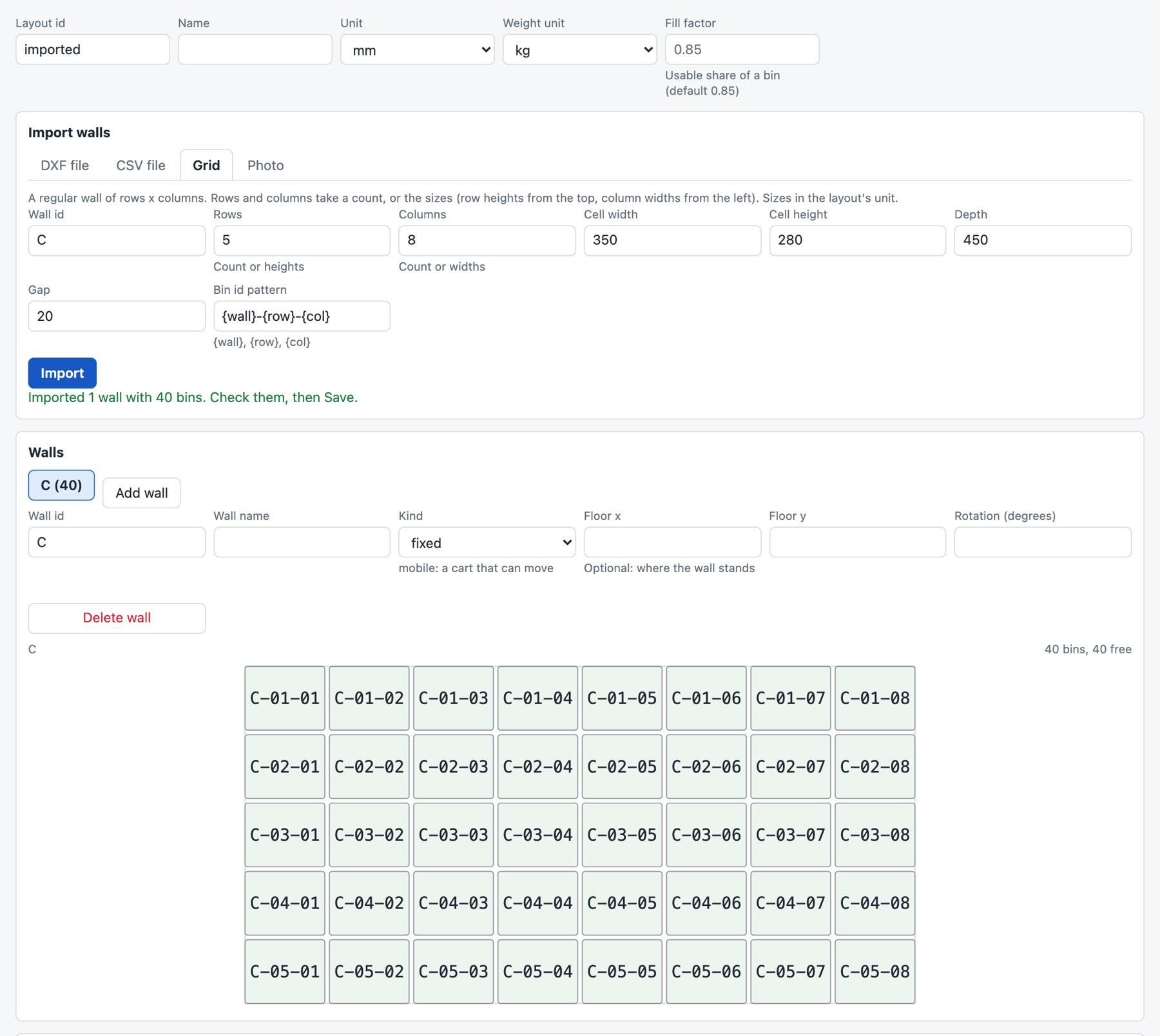
Sort walls, cubby walls and mobile put carts, imported from a CAD drawing, a spreadsheet or a grid, and checked in the setup editor.
Planning
Compact bin clusters, and no wall that locks up
When a wave is created, every order gets the bins it will use: as few as possible, as close together as possible, so the packer pulls one order from one spot. An order waits for a compact cluster rather than taking bins scattered across the wall, with a guard so that no order waits forever.
- Capacity from the item dimensions: the bin opening, its volume times a fill factor, a weight limit, and a unit limit for items without dimensions
- Orders that don't fit yet are queued and start only once bins for the whole order are free, so a full wall can't deadlock
- Which order gets a scanned unit: the one closest to complete (the default), or strictly in sequence
- Undo, short completion, release by order or by scanning the bin label; several waves can share one wall
- Deterministic: the same inputs always give the same plan and the same answers
At the wall
Confirmation scans and vendor-neutral put-to-light
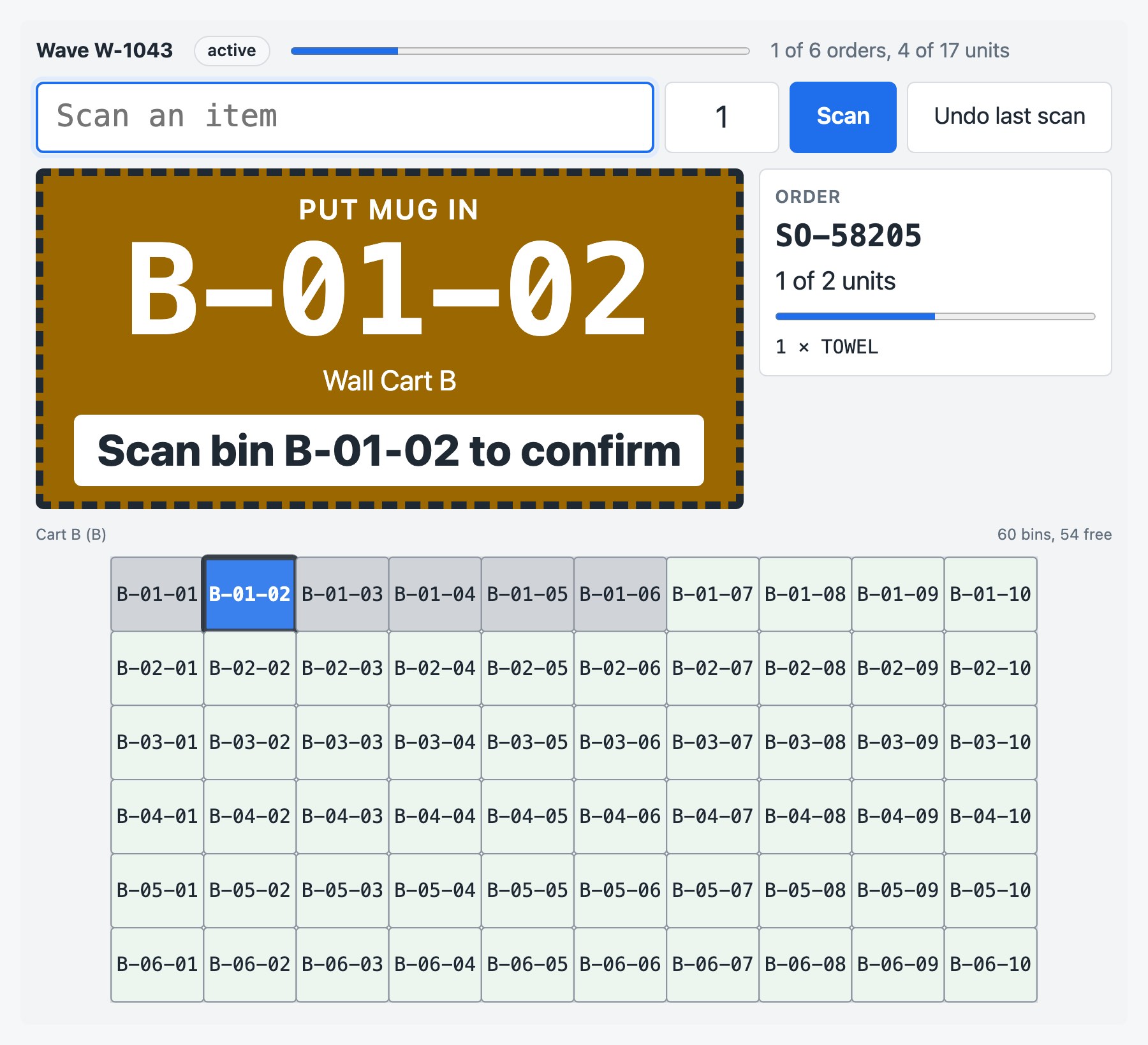
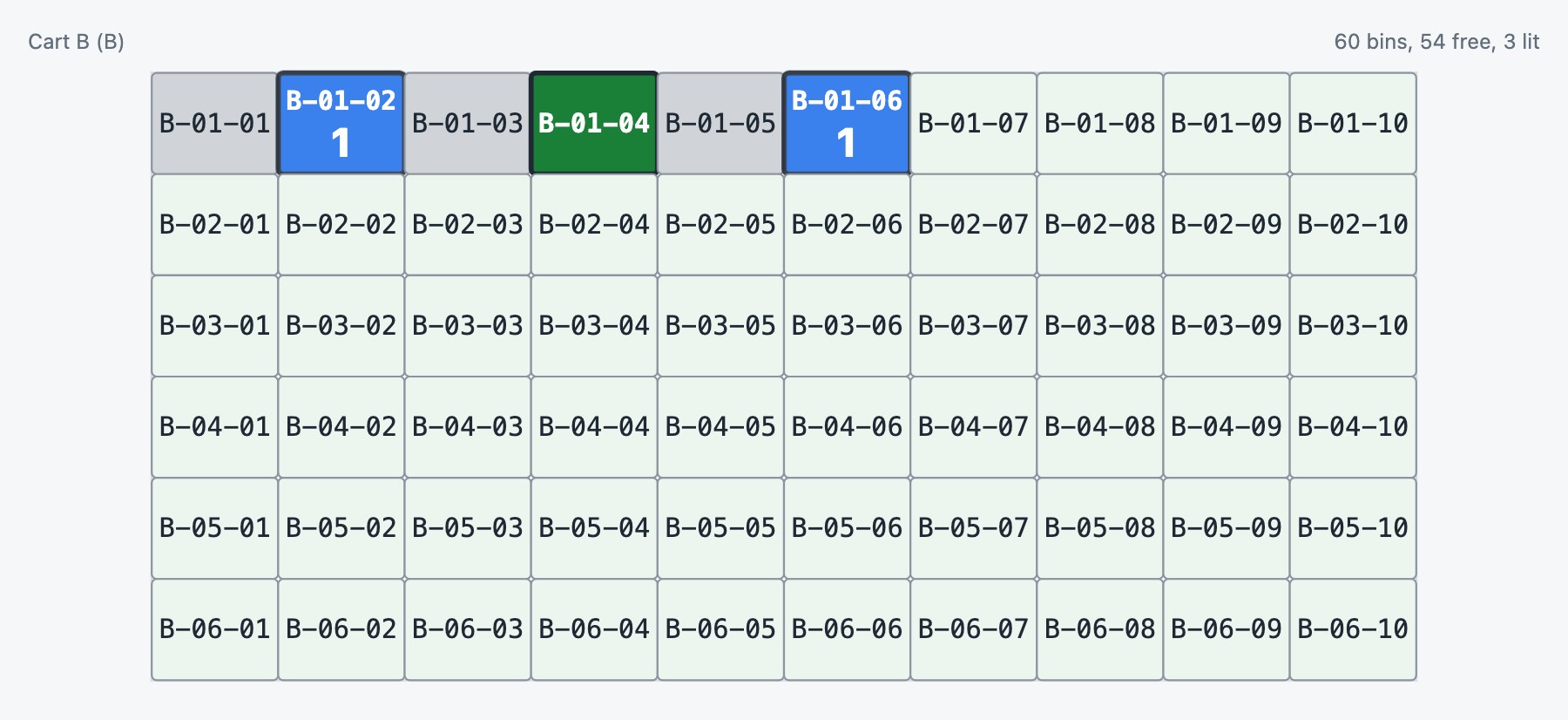
A wave can ask for a confirmation: the put stays pending until the operator scans the bin label, and a scan of the wrong bin changes nothing. Lights show where to put and which orders are complete.
HTTP gateway
Light changes are posted as JSON to your gateway, with an optional bearer token; a periodic full resync recovers from missed messages.
MQTT
Retained state per bin on a topic per light address, and button presses back from the wall: a press confirms the put or releases the complete order.
Simulator
No hardware: the wall component shows the lights, and clicking a lit bin acts as its button. That is what the live demo uses.
Bin setups
Import the walls you already have drawn
Every import returns a draft with warnings and saves nothing: check it in the setup editor, fix what's wrong, then save.
- DXF: a front elevation in ASCII DXF (R12 to 2018), bins as rectangles or as a grid of shelf and divider lines, ids from the text in each bin, one wall per layer
- CSV: one row per bin, by position or by row and column, with common column names recognised
- Grid: one wall of equal or row- and column-sized bins
- Photo: a first draft from a photo of the wall through an AI vision provider you configure (Anthropic, Amazon Bedrock, OpenAI, Azure OpenAI, Google Gemini or a self-hosted OpenAI-compatible server). Off in the live demo
Integration
A JSON API for your back end, four elements for your pages
From your back end
curl -X POST https://putwall.your-company.example/api/waves \
  -H 'Content-Type: application/json' \
  -d '{"id": "W-1042", "layoutId": "PUTWALL-A",
       "orders": […], "items": {…}}'
A scan can carry an id of your choice: repeating it after a timeout returns the first answer and never puts a unit twice. Webhooks report completed orders and waves, signed with HMAC-SHA256 and delivered at least once from a durable outbox. Client examples for TypeScript, Java, Python, C# and curl.
In your front end
<script type="module"
  src="https://putwall.your-company.example/widget/1.0.0/slotting-components.js"></script>
<slotting-station api-base="/slotting" wave-id="W-1042"></slotting-station>
The scan station, the wall drawing, the setup editor and the wave monitor are standard custom elements with no framework runtime. Typed, themable with CSS tokens, works under a strict CSP.
Working samples
- Back ends in Node and Java 17 (JDK only) that release a wave and proxy the components' API calls
- Front ends in plain HTML, Angular, React, Vue and Svelte: a release-wave form, the station and the wave monitor
- One browser driver checks every sample
Documentation on every install
- How slotting decides: capacity, clusters, allocation and a full wall, for warehouse engineers
- Bin setups: the layout model and every import, with export steps for common CAD tools
- Calling the API, embedding the components, and every field and error code
Deployment and licensing
Deployment
- Self-hosted: runs in your environment or your customer's
- Plans and scan state in Redis (a server, Cluster or Sentinel, including managed services); several instances can share one Redis
- The product's benchmark test plans 5,000 orders onto 10,000 bins, its request limits, in about 1.6 seconds on a developer laptop
- The API has no authentication: run it inside your network. It refuses cross-origin changes and, when configured, unknown host names
Licensing
- Offline, signed license key; nothing phones home
- Evaluation license: API responses are marked as trial and the components show a TRIAL mark
- No download yet: ask us for an evaluation
Scan a wave in the live demo
The live demo runs the real service on a sample layout of two walls, with simulated lights and an in-memory store: closed waves and unused layouts are cleared after a few hours. Generate a sample wave, open the station and scan.